





一、Docker安装
下载:https://www.docker.com/products/docker-desktop/ 最新版本
下载历史版本:
https://docs.docker.com/desktop/release-notes/
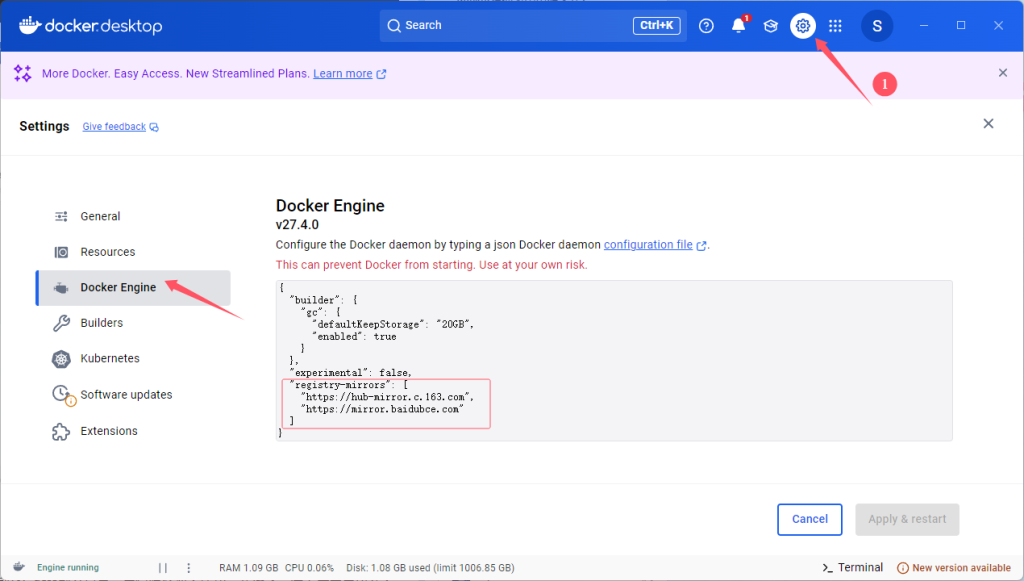
随后进入设置修改镜像源:
二、安装Anything LLM Web UI
从docker安装
参考文章https://github.com/Mintplex-Labs/anything-llm/blob/master/docker/HOW_TO_USE_DOCKER.md
从 docker 拉取最新的镜像。支持 amd64 和 arm64 CPU 架构。
docker pull mintplexlabs/anythingllm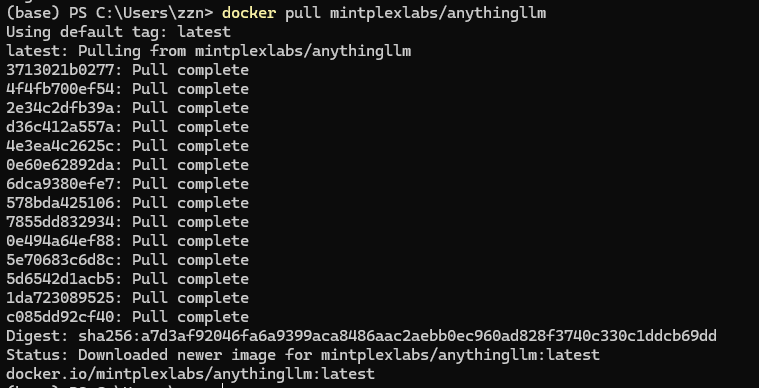
注意,接下来要先在本地打开Ollama服务!我一开始没打开,localhost:3001一直连不上
随后在power shell中运行下面命令:
$env:STORAGE_LOCATION="$HOME\Documents\anythingllm"; `
If(!(Test-Path $env:STORAGE_LOCATION)) {New-Item $env:STORAGE_LOCATION -ItemType Directory}; `
If(!(Test-Path "$env:STORAGE_LOCATION\.env")) {New-Item "$env:STORAGE_LOCATION\.env" -ItemType File}; `
docker run -d -p 3001:3001 `
--cap-add SYS_ADMIN `
-v "$env:STORAGE_LOCATION`:/app/server/storage" `
-v "$env:STORAGE_LOCATION\.env:/app/server/.env" `
-e STORAGE_DIR="/app/server/storage" `
mintplexlabs/anythingllm;
转到 http://localhost:3001,你现在正在使用 AnythingLLM。你的所有数据和进度都将在容器重建或从 Docker Hub 拉取之间保留。
常见问题和修复
Cannot connect to service running on localhost!
如果您在 docker 中,并且无法连接到在本地接口或环回上运行的主机上运行的服务:
本地主机127.0.0.10.0.0.0
在 linux
http://host.docker.internal:xxxx上不起作用。请改用http://172.17.0.1:xxxx来模拟此功能。
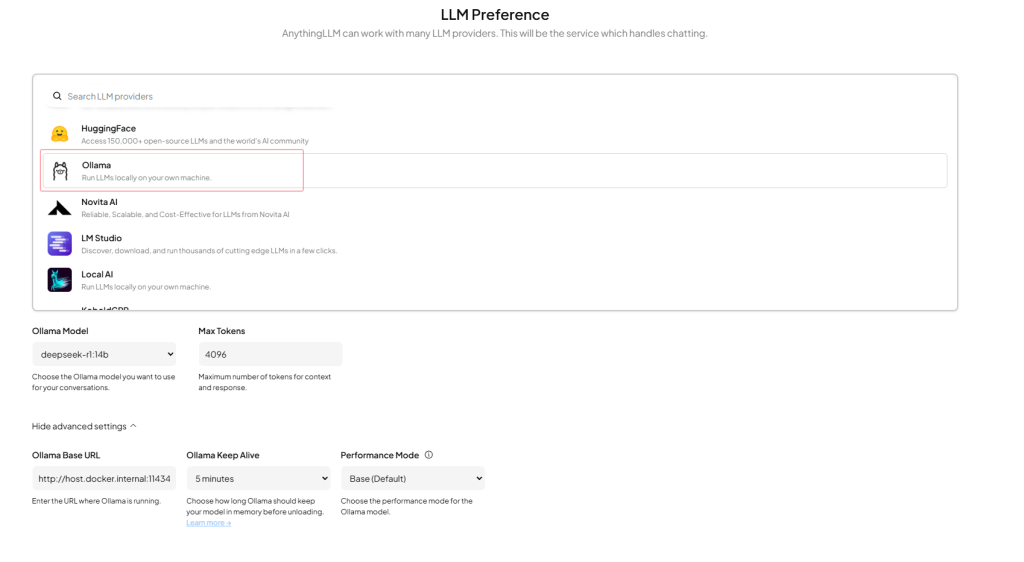
然后在 docker 中,您需要将该 localhost 部分替换为 host.docker.internal。例如,如果在主机上运行 Ollama,绑定到 http://127.0.0.1:11434 您应该放入 http://host.docker.internal:11434 AnythingLLM 中的连接 URL 中。
API is not working, cannot login, LLM is "offline"?
您可能正在远程机器(如 EC2 或其他实例)上运行 docker 容器,其中可访问的 URL 不是 http://localhost:3001 而是类似于 http://193.xx.xx.xx:3001 - 在这种情况下,您需要做的就是在运行 docker-compose up -d --build 之前将以下内容添加到您的前端/.env.production 中
# frontend/.env.production
GENERATE_SOURCEMAP=false
VITE_API_BASE="http://<YOUR_REACHABLE_IP_ADDRESS>:3001/api"
例如,如果 docker 实例在 192.186.1.222 上可用,则VITE_API_BASE将类似于 VITE_API_BASE="http://192.186.1.222:3001/api" frontend/.env.production。
Having issues with Ollama?
如果您遇到类似 llama:streaming - could not stream chat. Error: connect ECONNREFUSED 172.17.0.1:11434 那么 的错误,请访问下面的 README。
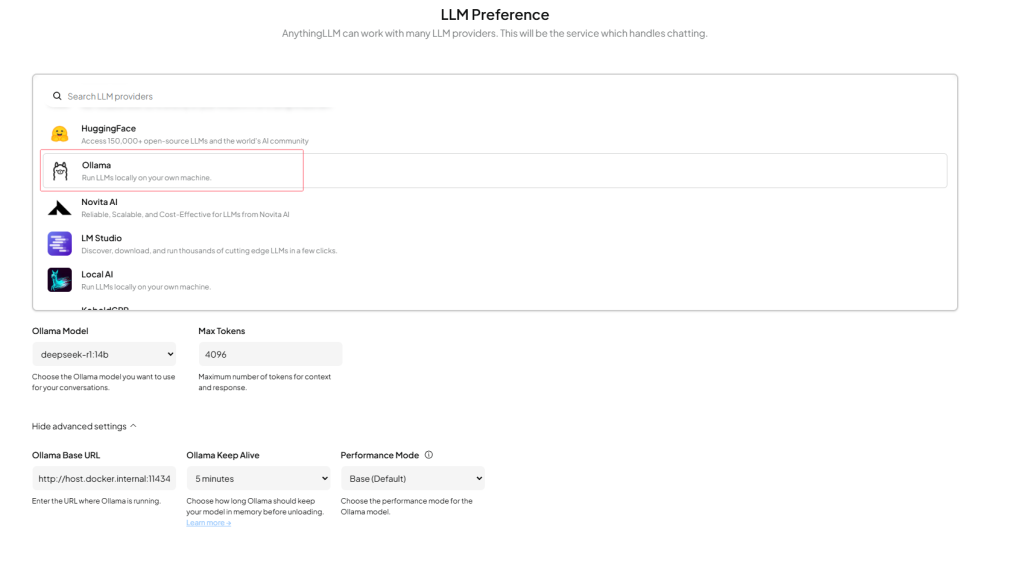
配置Ollama和Anything LLM
接下来的个人/团队使用一定要选择团队!
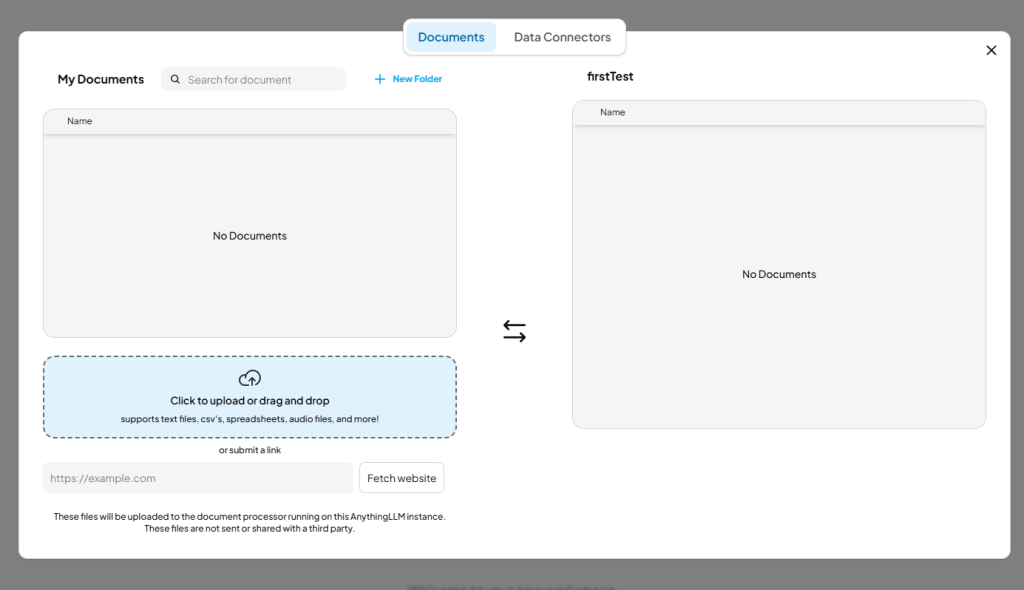
上传文档训练模型:
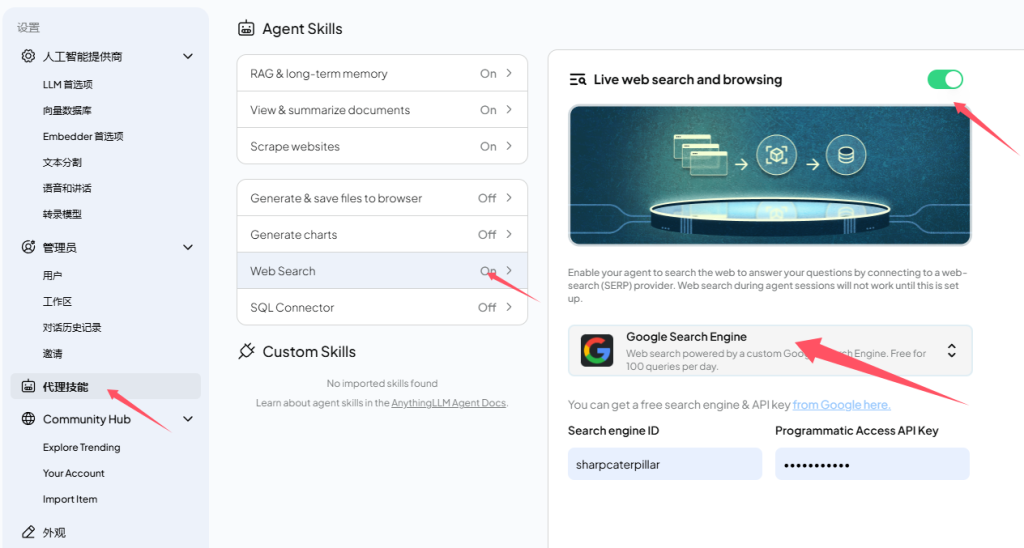
联网搜索能力:
Comments NOTHING